
Color Palette Changer Aseprite Extension
Streamline your sprite color workflow! Universal Palette Manager is a lightweight Aseprite extension designed to let you store base color sets, create variation groups (clothing, skins, elements), and batch-generate recolored sprite layers in seconds!
Key Features
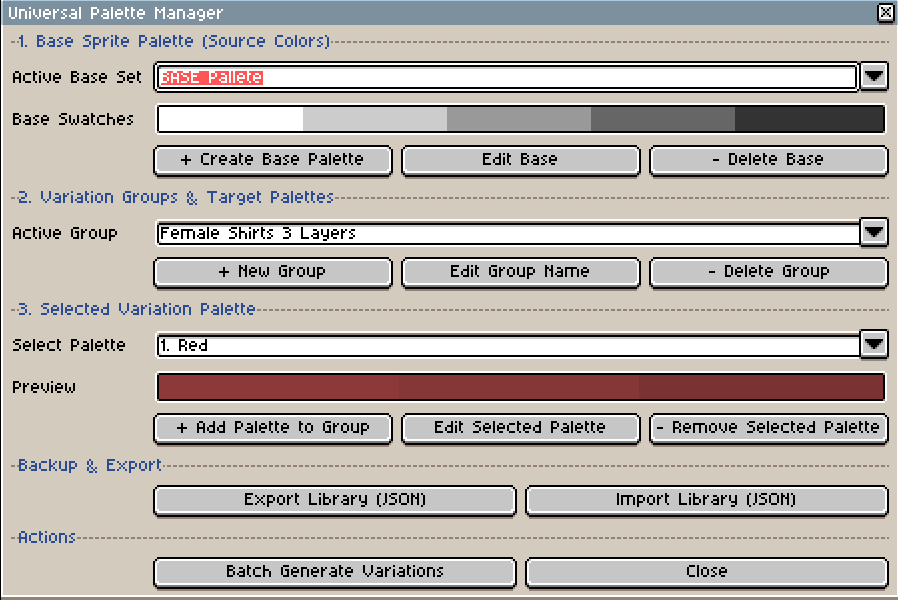
- Compact, Fixed UI: Uses selection dropdowns and live swatch previews to handle unlimited palettes.
- 1-Click Active Swatch Import: Import swatches directly from your open Aseprite palette into any base or target set.
- Batch Variation Generator: Recolor active sprite layers automatically for every variant in a group simultaneously.
- Full Group & Palette Control: Easily create, edit, rename, or delete base palettes, variation groups, and color slots.
- Persistent Library Export/Import: Backup or share your palette libraries via JSON.
How to Install
- Download the file
universal_palette_manager.luascript
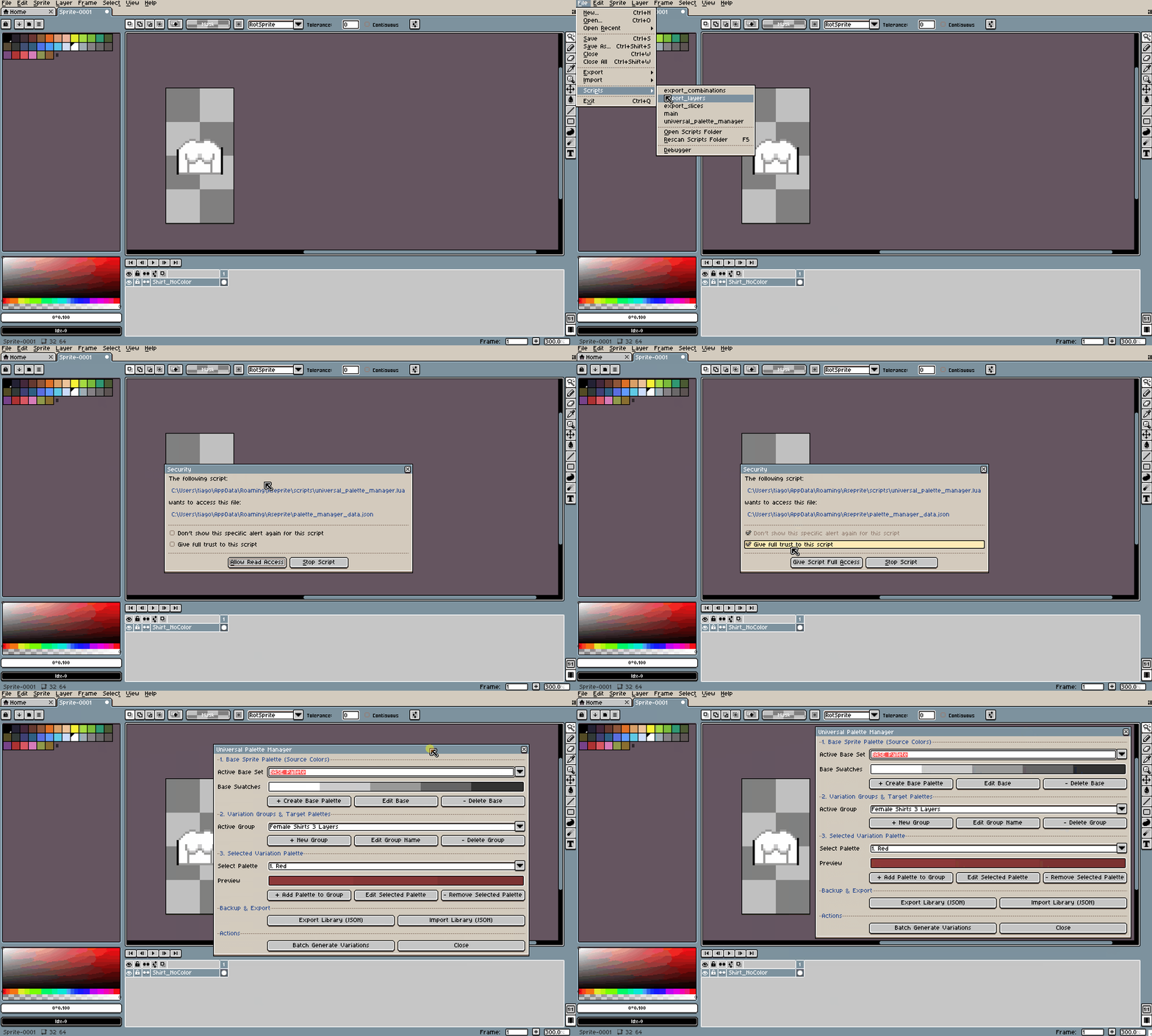
- In Aseprite, go to File > Scripts > Open Scripts Folder.
- Drag
universal_palette_manager.luainto that folder - In Aseprite, go to File > Scripts > Rescan Scripts Folder (reload folder to make it appear in aseprite).
- Run the script from File > Scripts > universal_palette_manager (or assign it a hotkey in Edit > Keyboard Shortcuts).
How to Use
- Trust Check: Start by allowing the tool to access your aseprite files, this is required so the tool can save and load your custom palette libraries locally on your device, once done the tool window will appear.
- Set Base Colors: Choose or create a Base Set matching the source colors of your active sprite layer.
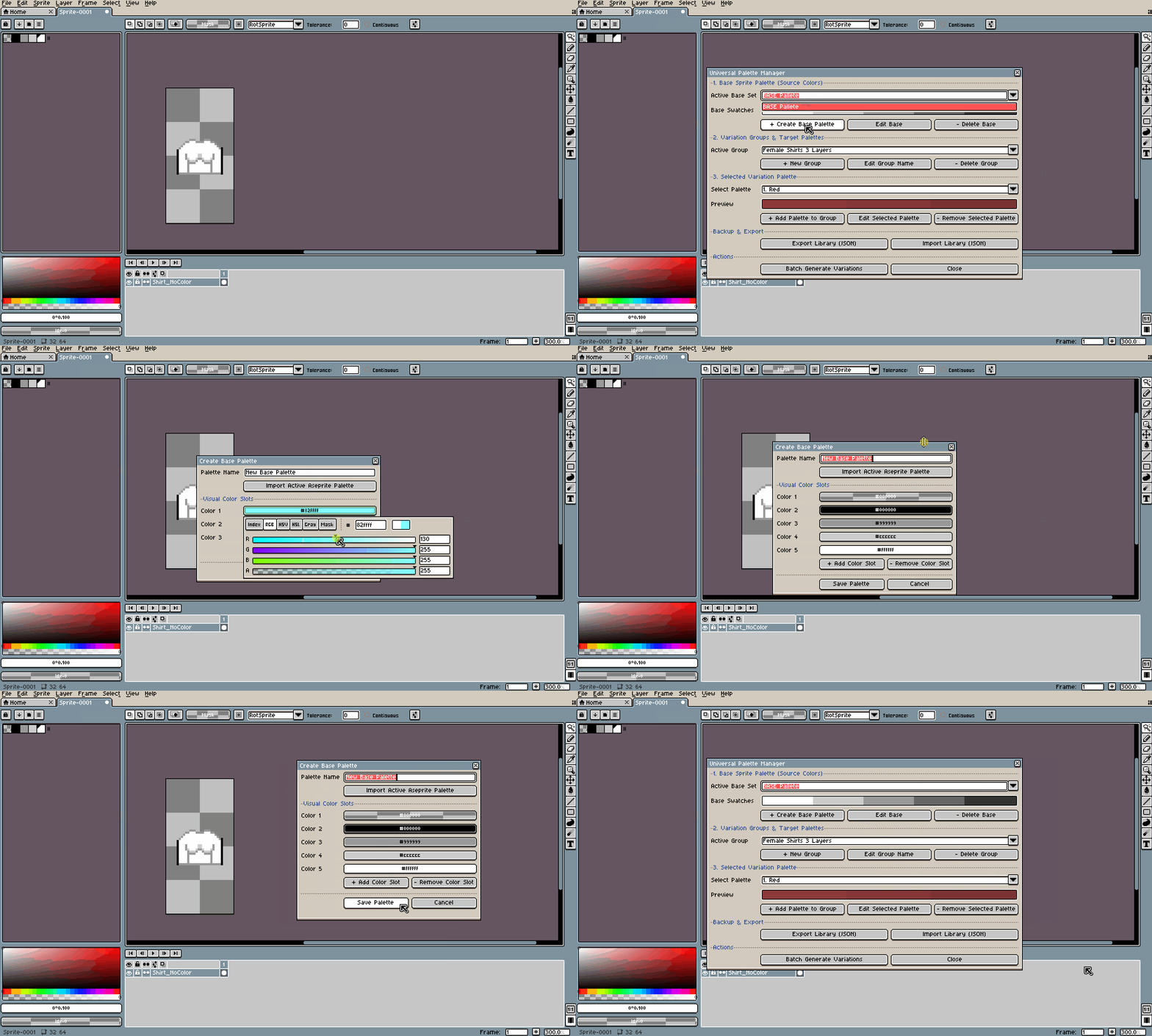
(In my case i choose 5 colors for my baseline since i want my sprites to have up to 5 different colors. When changing colors the tool will only pick the colors that are currently only the sprite, so make sure the are the same colors you want to change on your base set! Also if the sprite only has 2-3 colors as shown above only that those base colors will be changed, the base colors can be any color you want!)
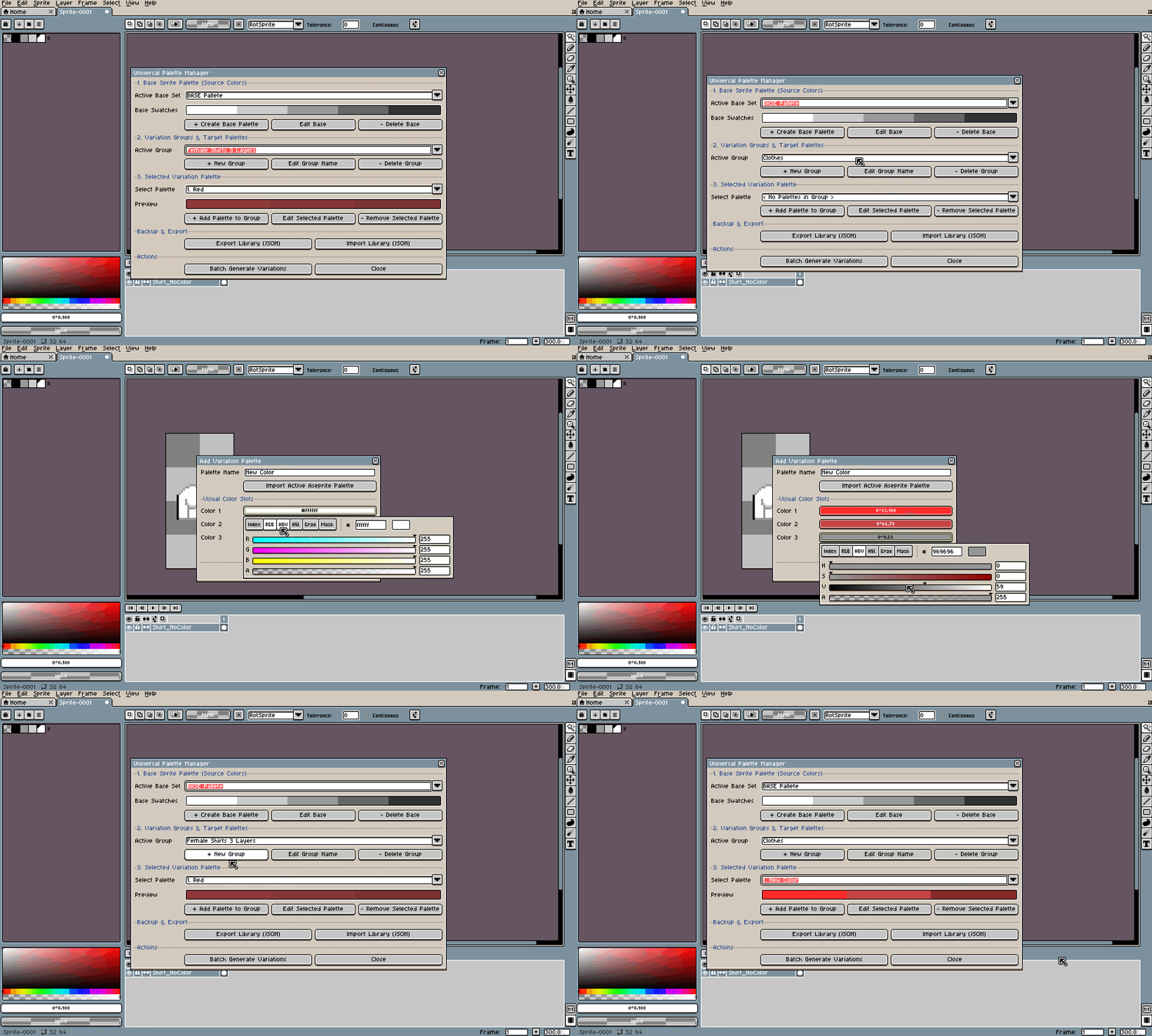
- Create a Variation Group: Add a new group (e.g., "Clothing Variants") and add target palettes inside it ("Red", "Green"...).
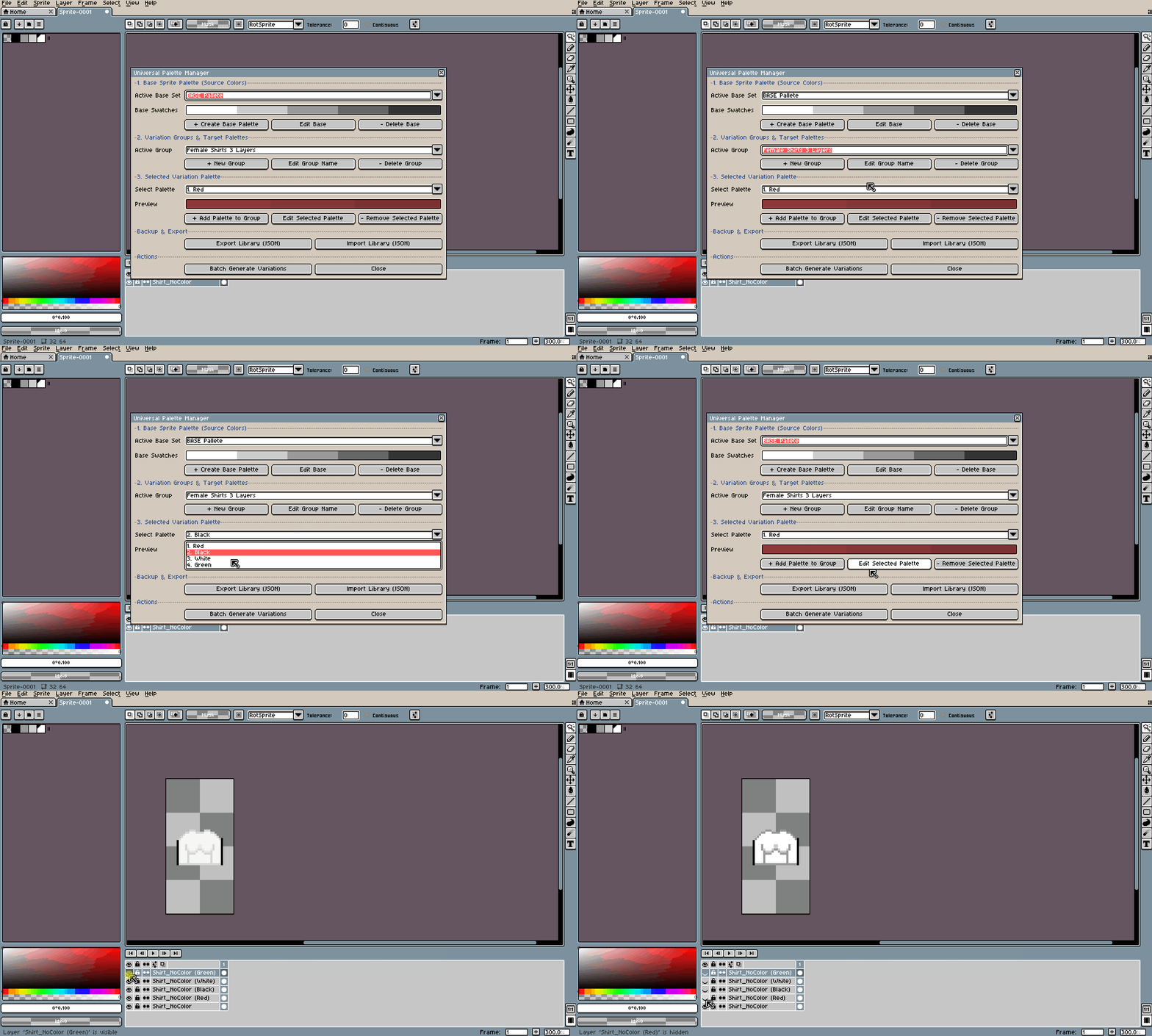
- Batch Generate: Select the sprite layer you want to recolor and click Batch Generate Variations. The script creates a new layer for each palette variant automatically from the selected group!
License & Terms of Use
- Allowed: You are fully licensed to use this script to create personal and commercial games, pixel art, animations, and assets.
- Prohibited: You may not resell, re-upload, share, or redistribute the
.luascript file (or modified versions of it) publicly or with third parties.
- Disclaimer: Provided "as is" without warranty. If you run into any bugs or have feature requests, feel free to leave a comment below!
Purchase
In order to download this tool you must purchase it at or above the minimum price of $2 USD. You will get access to the following files:
Leave a comment
Log in with itch.io to leave a comment.